The Wrapper Pattern in Contentful
In Links and Buttons I ended up with a Button that references a Link instead of copying its fields. That was not a one-off. It's a pattern I keep coming back to, and I call it the Wrapper Pattern.
What is a wrapper?
A Wrapper is a content type that does two things. It holds the few attributes that are unique to it, and it references another entry for everything else. That's it.
Another way to look at it is that in Wraps around another concept that exists in the system and adds additional attributes.
The best place to start is the one you will need on pretty much every website: Images.
Images
An image in Contentful is an Asset. An Asset comes with a fixed set of fields - Title, Description and the File - and you can't add your own.
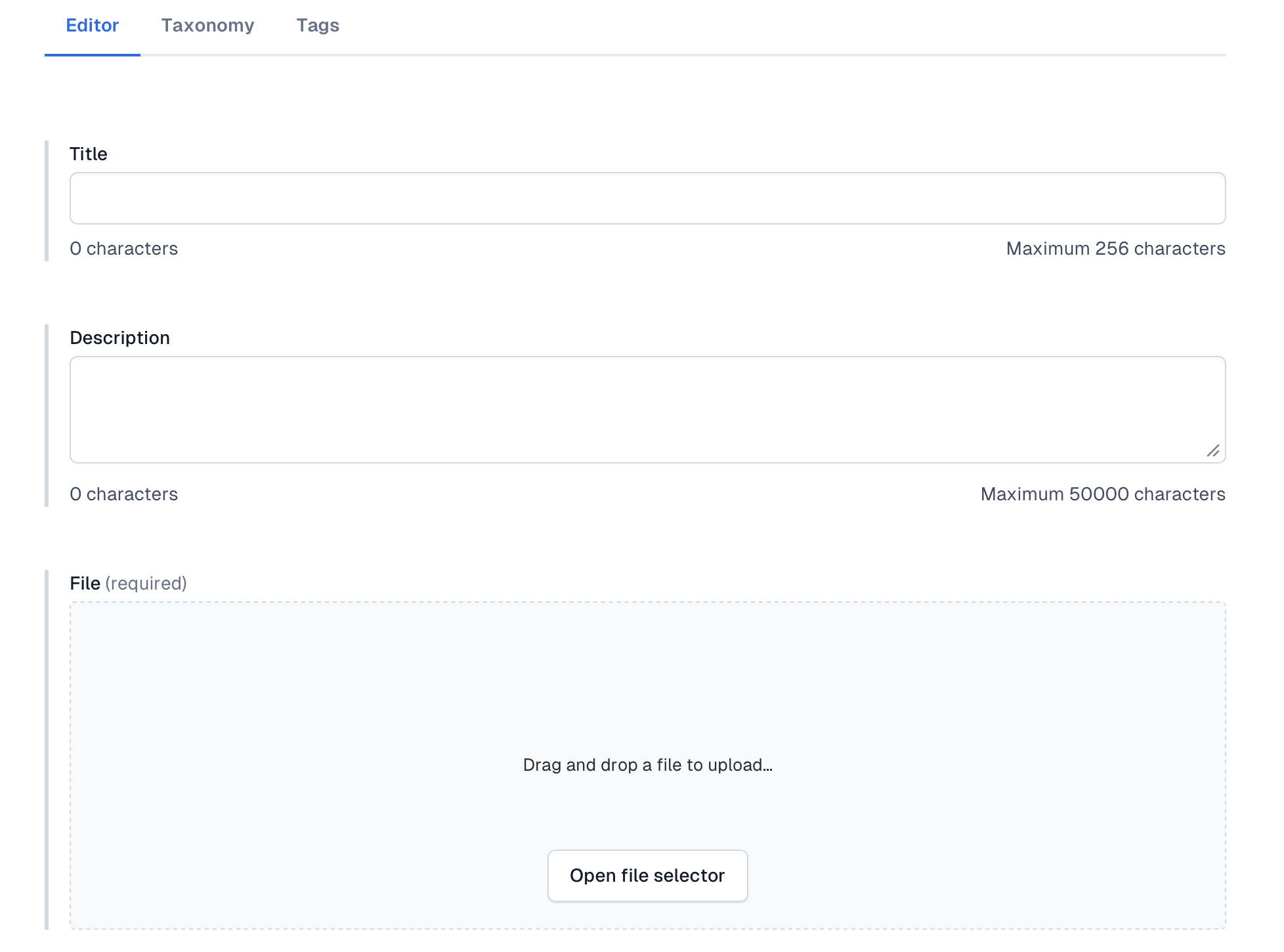
One of the requirements for accessibility is the Alt Text. Where does the alt text go?
You could tell editors to put it in the description. But here is the problem. You can't make the description required. An editor uploads a picture, skips the description, publishes, and now there is an image on the website with no alt text.
This is the reason why I recommend creating an Image content type that holds the required Alt text. Now an Image can't go out without Alt text. Contentful won't let the editor publish it.
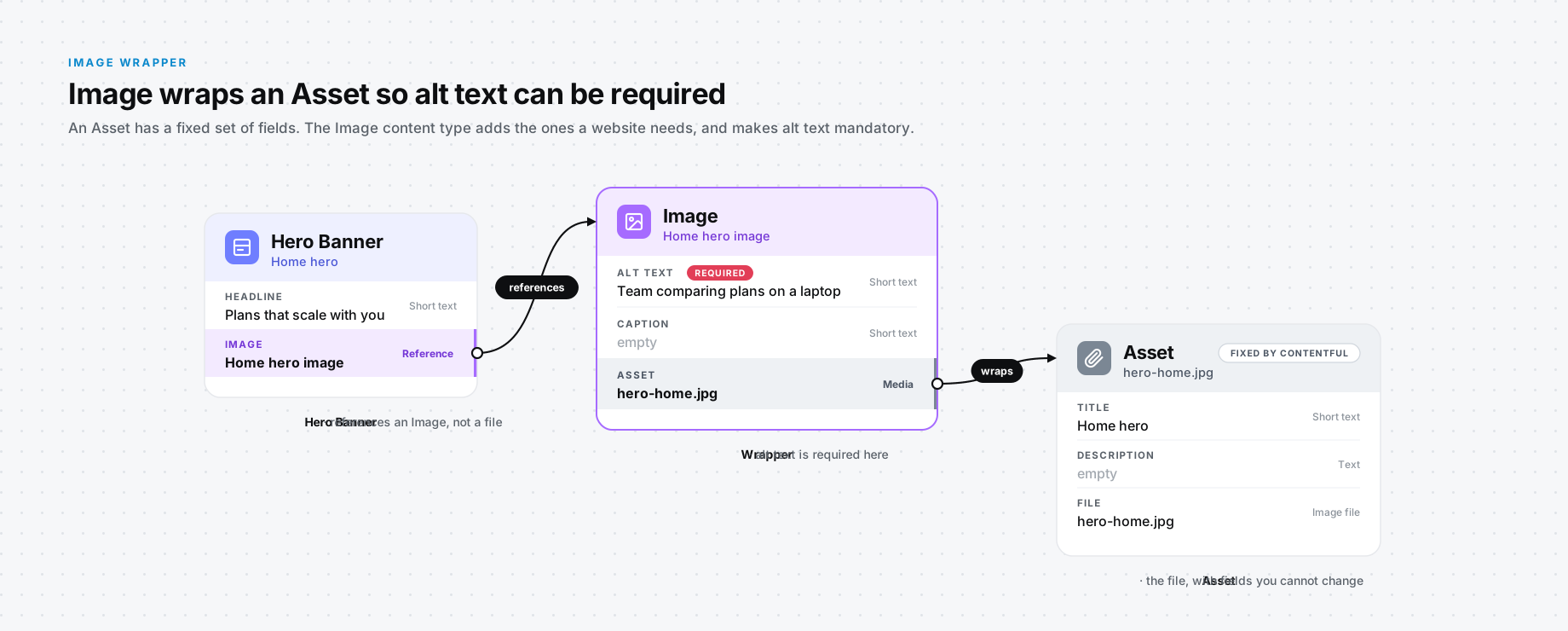
The Image wraps the Asset, everything else about an image has a home too - a caption, a photo credit and so on.
What happens without it? Every component that shows an image needs its own Alt Text field next to the media field. The Hero has one, the Card has one, and so on. Sound familiar? It's the same problem as copying the Link fields, which I talked about earlier in the Links and Buttons snippet.
Card Section and Card Items
Here is another one you will see on almost every website: a row of cards under a heading. How do you model that?
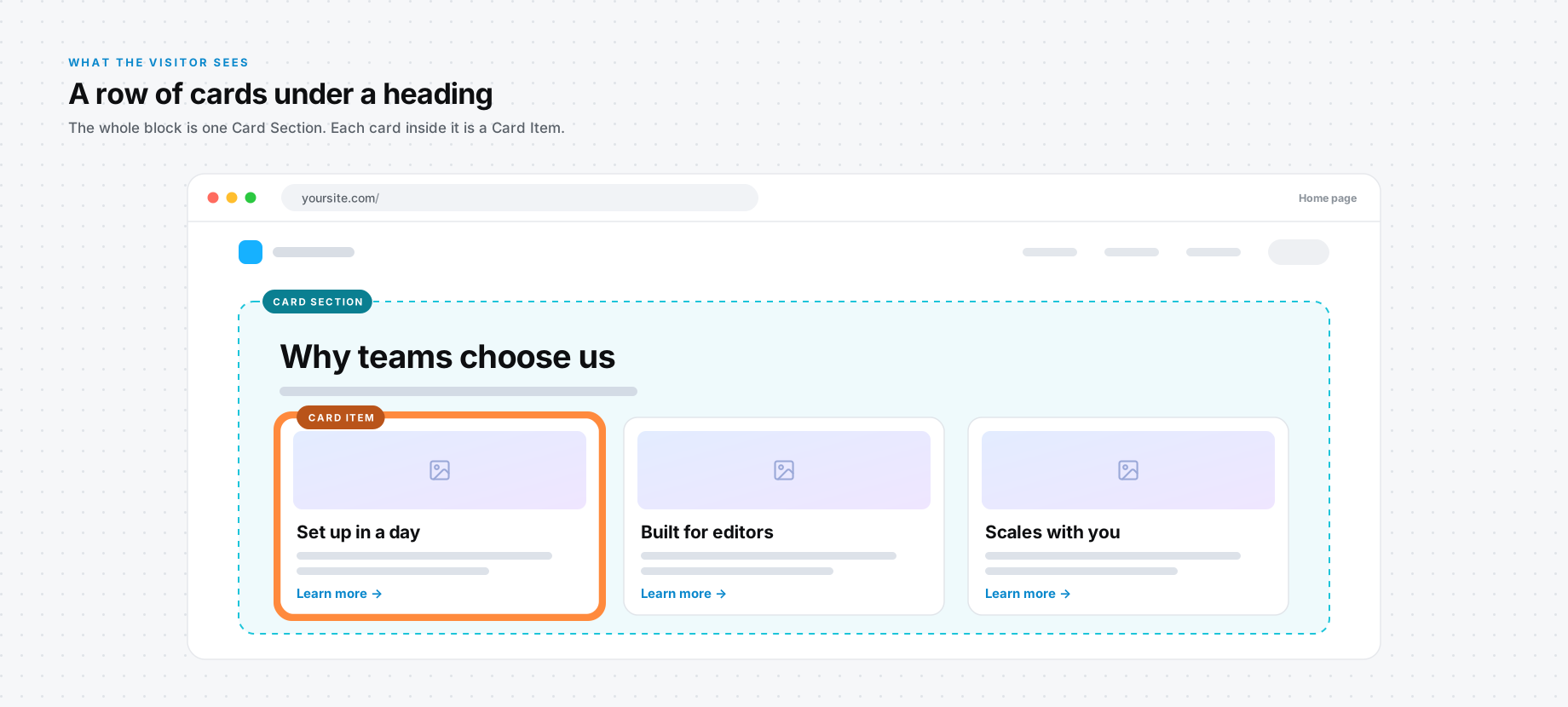
I use two content types, a Card Section and a Card Item. The Card Section holds what belongs to the group - the heading, how many columns and so on - and it references the Card Items. Each Card Item holds its own content: a title, an image and a link.
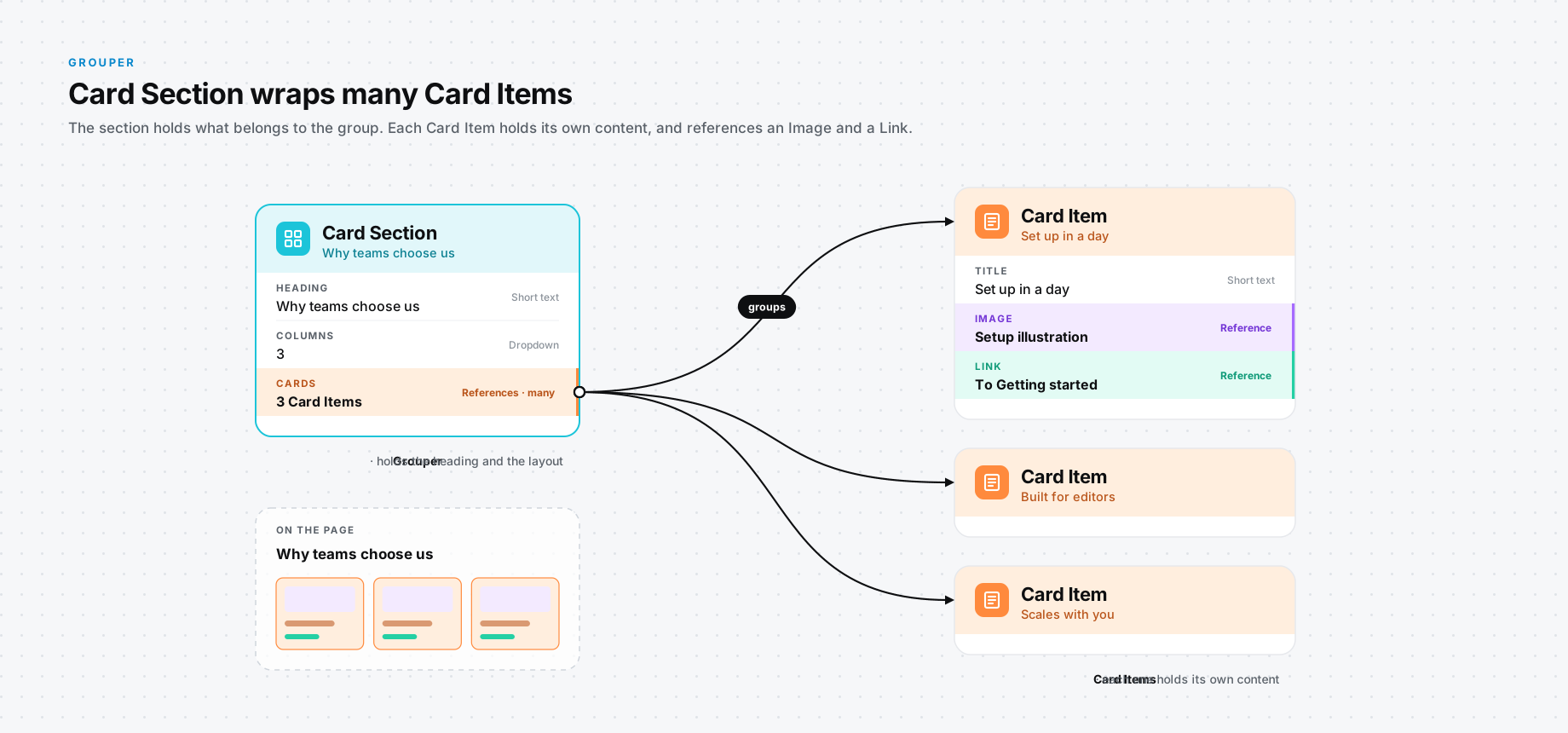
Now look at what the Card Item references: an Image and a Link. The Image is the wrapper from the section above, and the Link is the one from Links and Buttons. Once you see the pattern, you can't unsee it.
What does it cost?
Nothing is free, right? A wrapper adds a layer, and somebody pays for it.
From the editor's perspective, it's more entries and more clicks. Where they used to create one entry, they now create multiple.
From the application's perspective, every wrapper is one more level of references to resolve. Contentful resolves linked entries up to 10 levels deep, and a chain like Page, Hero, Button, Link, Page gets you there faster than you think.
This is a necessity here. It does make the system more flexible.
When should you use it?
- Is the thing being wrapped an idea in its own right? A link is. An image is. If you can't name it, it's probably not worth its own content type.
- Is it going to be used in more than one place? If Button is the only thing that will ever need those fields, just put the fields on Button and call it a day.
If the answer to both is yes, I wrap. A wrapper that adds nothing of its own is just junk.
What about AI?
With agentic workflows, humans are becoming the directors of the system and the AI is taking the role of implementor. Does the AI mind creating two entries instead of one? Not at all. So the cost to the editor shrinks, and the benefit to the system stays. That tips me towards wrapping more than I used to.