Links and Buttons in Contentful
Every website needs to get a visitor from one page to another. In Contentful, that raises two questions. How do you model a link? And what do you do when that link needs to look like a button?
Link
At its core, a link is a way for a visitor to get from one webpage to another. You will find them everywhere - in banners, accordions, FAQs, etc.
So how do you model one? The obvious answer is a reference field that goes straight from an entry to the page it links to. Let's explore that a bit, because it falls short quickly. Where does the text of the hyperlink go? A reference on its own has nowhere to keep it. And what about a link to a page outside the site? A reference can't point there, so now you need a second field next to it. Now repeat all of that in every component that can hold a link. That does not scale.
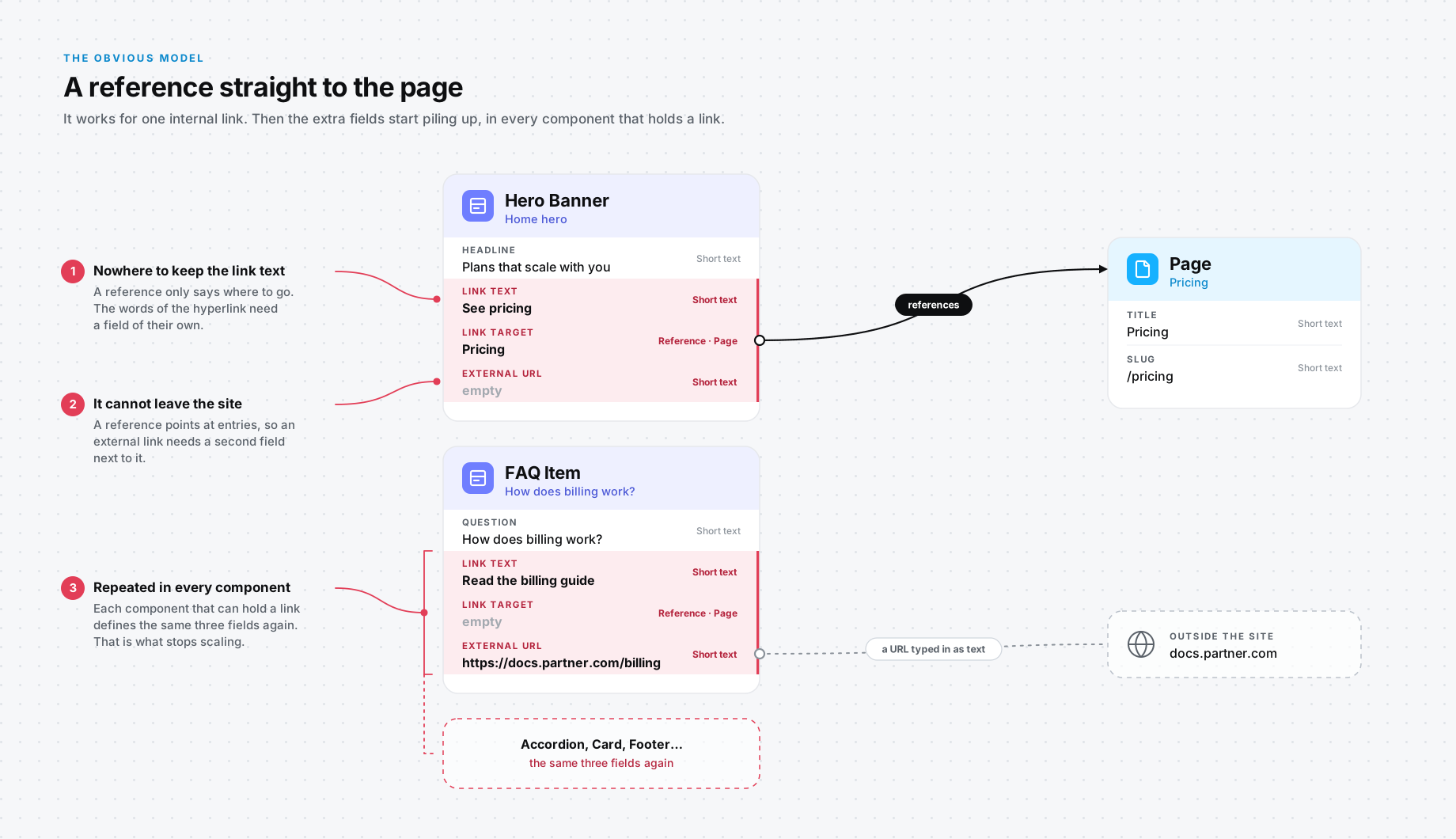
This is why you need a dedicated content type called Link. Think of it as the one place that holds the whole idea of a link: what it says and where it goes. As an example, consider a page that has a hero banner with a link that takes the visitor to another page.
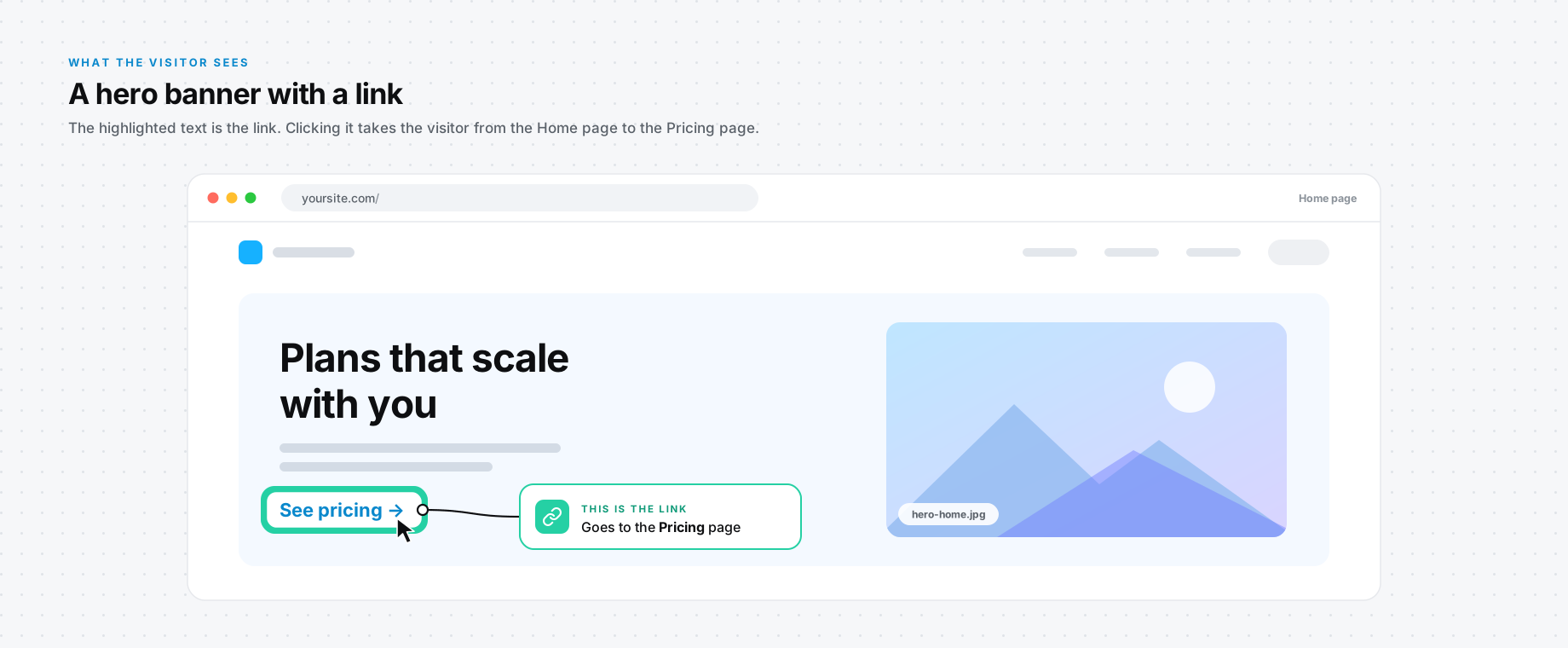
Behind that banner, the content is structured like this:
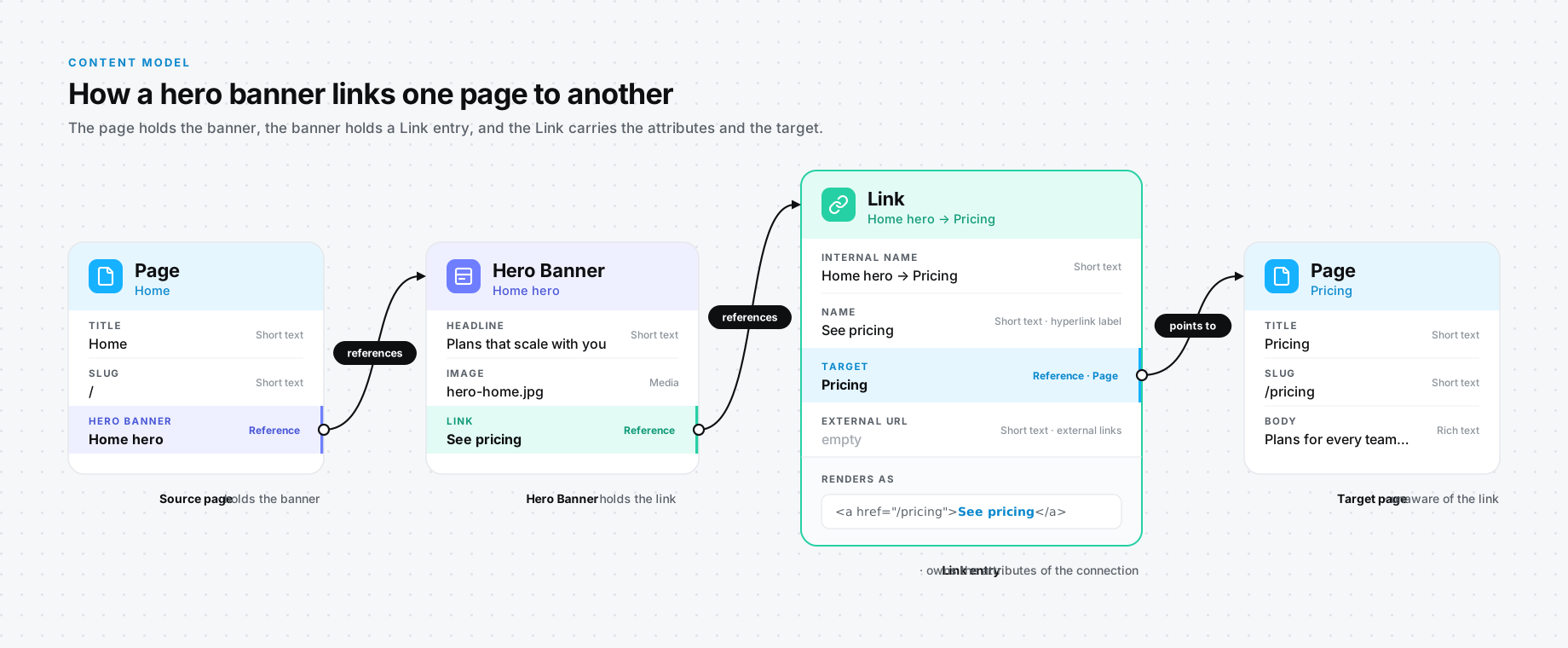
A Link usually has the following fields:
- Internal Name - this is the name editors see for the entry inside Contentful.
- Name - this is what appears in the hyperlink.
- Target - this is a reference to the page the link goes to.
- External URL - this is for links to pages outside the site. Simple text, usually short text.
Now you may ask what happens when an editor fills in both Target and External URL. Unfortunately, there are no business rules in Contentful that can stop it. At ASHARIZON, we have an app that helps with it; however, it's not fail-safe, as it only works in the UI for editors.
Ultimately, the application layer decides which value to take. I recommend that if Target is provided, you use it and ignore External URL.
So that's hyperlinks. What do you do with buttons?
Buttons
A Button is something more than a link. It does the same job - it takes the visitor somewhere - but it looks different on the page, and because of that it needs attributes a link doesn't have. Style is the usual one: primary, secondary and so on, for the different color treatments.
And now you've reached a fork in the road. Take the Style away, and everything else on a Button is looking suspiciously similar to a Link. How can you best handle this? There are two options.
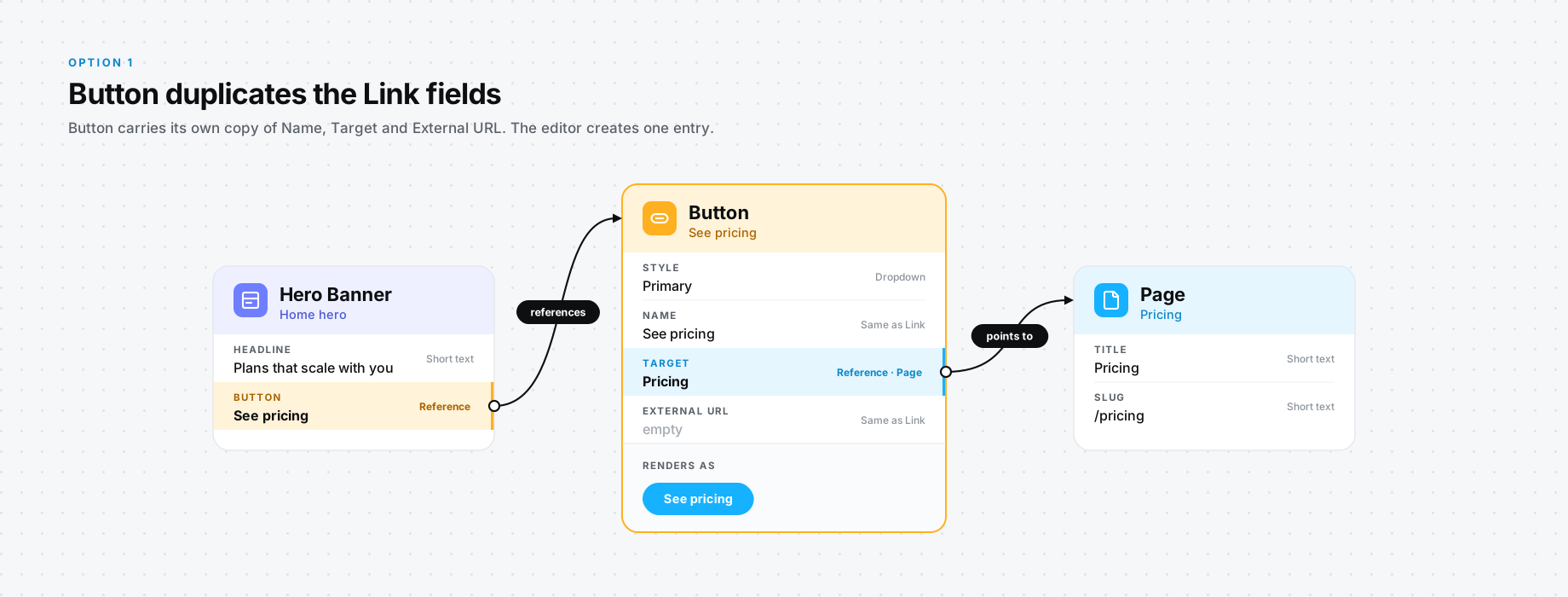
Option 1: copy the Link fields into Button
You can simply create all the Link fields again in Button and call it a day. You may think this is not a great idea, as you are defining the same fields in yet another content type, but let's explore that a bit. What does it give you? Simplicity for the editors. When they want a button, they create one Button entry and that's that.
However, the engineers who maintain the system now have to maintain exactly the same field definitions across multiple content types, which, from an engineering perspective, is risky business. The definitions can drift apart. Say a validation on a Link field needs a fix. Someone has to remember to make the same fix on Button.
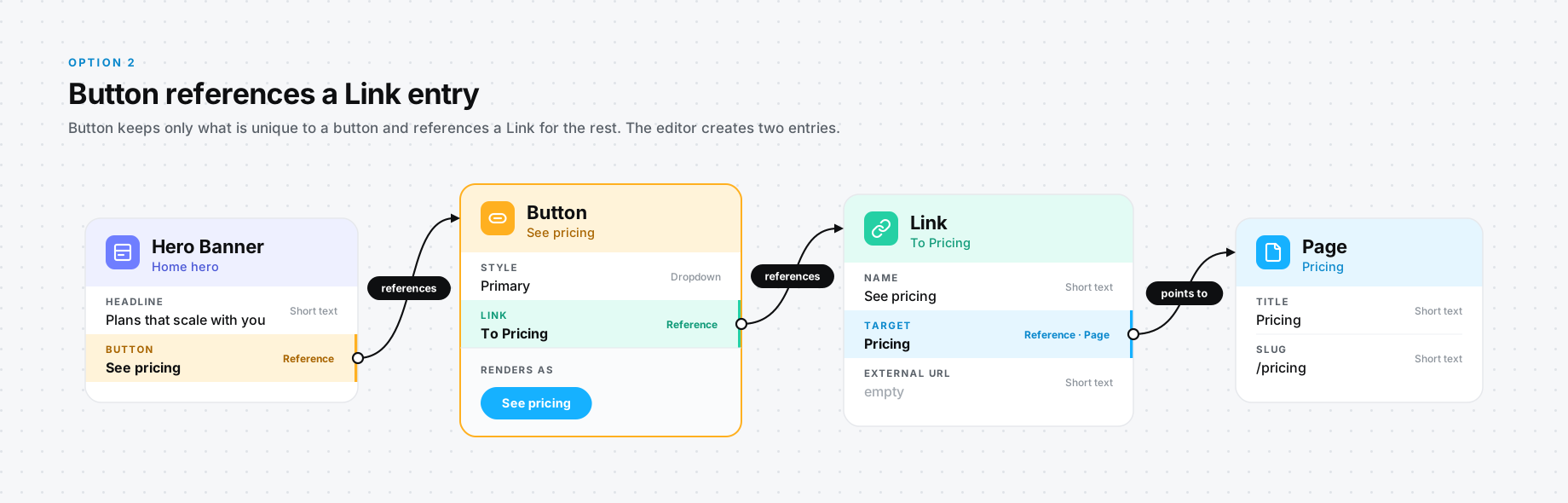
Option 2: Button references a Link
The other option is for the Button to reference a Link entry. As you can imagine, that's adding a level of complexity. Think of it this way: you have a Hero entry, which references a Button, which in turn references a Link.
This, in my opinion, is quite tedious and boring. An editor will have to create two entries instead of creating one and being done with it. This is the reason why option 1 might not be that bad of an idea, at least from the editor's perspective.
Our Recommendation
So which one would I go with? I previously would have leaned towards option 1 as, from an editorial perspective, it made more sense. My experience has taught me that it's always good to lean towards the editors' use cases and ease of use, as they are the ones going in daily and using the system. You really need to look after the core users of the system. However, from an engineering perspective, the right answer is option 2.
Remember, when Button references a Link, the Link content type literally holds the whole idea of a link (to and from Pages) in one place. This can be useful for, for example, cataloging all the incoming and outgoing links.
And agentic workflows are changing the paradigm here. Humans are becoming the directors of the system and the AI is taking the role of implementor. For the AI, creating the extra entry is quite easy, and it's probably better when a Button references a Link.
This concept that I just walked you through is what we at ASHARIZON call the wrapper pattern in Contentful. It is quite an important concept in its own right, and I'll cover it in a snippet of its own.